

Description
DerbyDMV Version 12.0
DerbyDMV™ is a software application that will create mock driver's licenses for your racers, complete with their photo. It is a nice way to add fun to your race and give your racers a souvenir keepsake. Create licenses for any type of race that includes a vehicle, like Pinewood Derby®, Awana® Grand Prix, Raingutter Regatta, Space Derby®, and others. They are customizable, so you can call them a "Pilot's License", "Learner's Permit" or anything else that better suits your type of race. You can also create pit passes to be worn around the neck by the racers or to identify your race crew.
Key Features:
Driver's Licenses - A cool souvenir keepsake for your racers, complete with their photo.
- Printing Driver's Licenses - Print the driver's licenses to standard business card paper (Avery template 8371 or equivalent). The paper is perforated for easy separation of the licenses. If you wish, you can laminate them to make them more durable, using a laminator or by simply applying packaging tape to both sides and then trimming.
- Racer Data - Manually enter racers or import racer information from an existing spreadsheet or database export. You can even directly import your racer data directly from a GrandPrix Race Manager™ data file. Racers can choose their own vehicle numbers or they can be assigned by the race staff or the software itself.
- Racer Photos - There are two ways to get photos of your racers onto the driver's licenses:
- Capture the photos directly from a web cam or video camera.1
- Copy the photos from your digital camera to your PC. Then manually select the appropriate photo for each racer.
- Highly Customizable
- Race Vehicles - Select from Cars, Trucks, Boats, or Rockets or even specify some altogether different type of race vehicle.
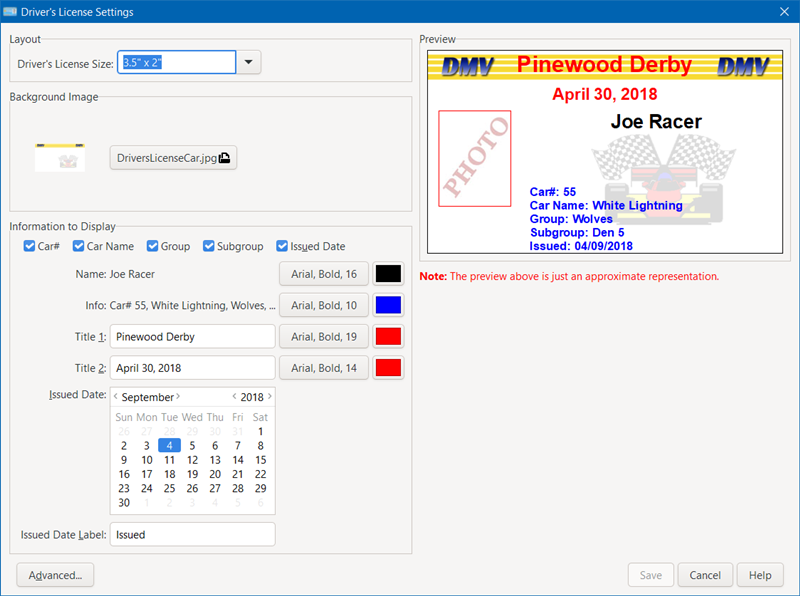
- Titles - Two title lines are displayed on the driver's licenses and can be customized to suit your race. You can also customize the color of these titles.
- Racer Information - You can display or hide racer information like Vehicle#, Group, Subgroup, Custom Field, and Issue Date. The Custom Field can store any type of data that you want. The issue date can be changed to be any date you wish.
- Background Image - Use the background image supplied or use your own image tailored to your liking.
- Default Racer Image - If you don't have a photo for a racer, a default image will be shown. You can use the supplied default image or use your own.
- Advanced Customizations - Users can edit certain advanced settings to customize the reports further.
Pit Passes - Pit Passes can be printed and worn around the neck. You can use these to identify your race crew members or in lieu of driver's licenses for the racers.
- Printing Pit Passes - Print the pit passes to standard name badge paper (Avery template 5390, 5392 or equivalent). The paper is perforated for easy separation of the pit passes. You can use commercially available name badge holders and lanyards so they can be worn around the neck or you can laminate them, punch a hole and add a loop of string.
- Race Crew Data - Manually enter race crew or import race crew information from an existing spreadsheet or database export.
- Race Crew Photos - There are two ways to get photos of your crew members onto the pit passes:
- Capture the photos directly from a web cam or video camera.1
- Copy the photos from your digital camera to your PC. Then manually select the appropriate photo for each crew member.
- Highly Customizable - Customize the pit passes for race crew and racers.
- Titles - Two title lines are displayed on the pit passes and can be customized to suit your race. You can also customize the color of these titles.
- Background Image - Use the background image supplied or use your own image tailored to your liking.
- Race Crew Specific Formatting
- Advanced Customizations - Users can edit certain advanced settings to customize the reports further.
- Race Crew Information - You can display or hide crew member information like Job Position, Custom Field, and Event Date. The Custom Field can store any type of data that you want. The event date can be changed to be any date you wish.
- Default Crew Member Image - If you don't have a photo for a crew member, a default image will be shown. You can use the supplied default image or use your own.
- Racer Specific Formatting
- Race Vehicles - Select from Cars, Trucks, Boats, or Rockets or even specify some altogether different type of race vehicle.
- Racer Information - You can display or hide racer information like Vehicle#, Group, Subgroup, Custom Field, and Issue Date. The Custom Field can store any type of data that you want. The issue date can be changed to be any date you wish.
- Default Racer Image - If you don't have a photo for a racer, a default image will be shown. You can use the supplied default image or use your own.
Driver's Test - Adults need to pass a test in order to get their driver's license, so why not give the kids a friendly quiz on what they've learned?
- Enter an unlimited number of True/False questions or import a list of test questions.
- A sample test is provided.
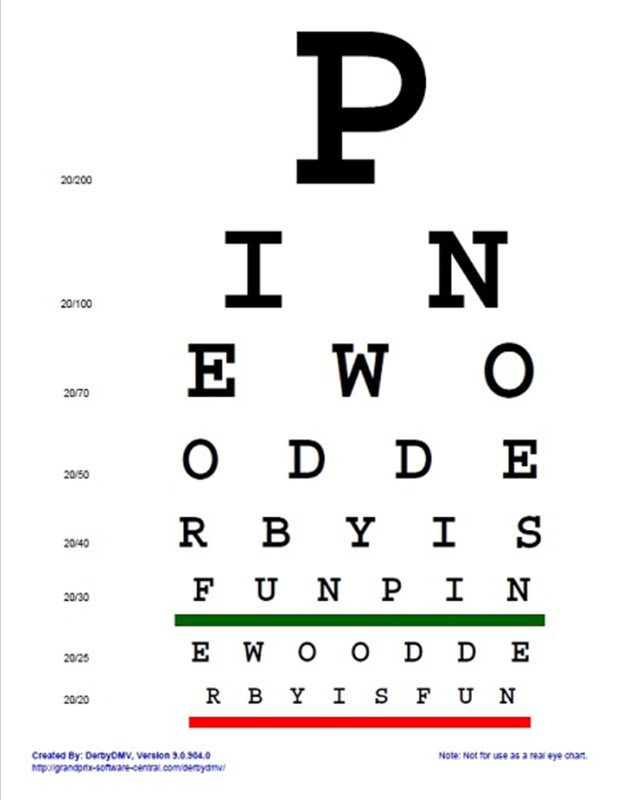
Eye Chart - To make getting their driver's license even more like mom and dad had to, you can give the kids an eye test2. You can also use the eye chart as a decoration.
- The letters on the eye chart are customizable, so you can spell out a secret message, like "PINEWOOD DERBY IS FUN".
Easy to Use - DerbyDMV is very easy to use and intuitive.
Notes:
- Snapshot feature requires a compatible video camera or webcam and a connection to your PC. See the Requirements tab for specific hardware needs.
- The Eye Chart is not intended for use as a true test of vision. It's just for fun.
A portion of the profits from this software are donated to our local Awana missionaries. Awana® is an international organization which seeks to teach girls and boys about the Gospel of Christ and to train them to serve Him through bible verse memorization, bible teaching, games, and other activities.
DerbyDMV is a trademark of Lisano Enterprises, LLC.
Awana is a registered trademark of Awana Clubs International.
Pinewood Derby and Space Derby are registered trademarks of the Boy Scouts of America.
Windows is a registered trademark of Microsoft Corporation.
Mac and macOS are registered trademarks of Apple, Inc.
What's New
| Upgrade Policy: | Upgrade Now |
Registered users of Versions 9 and above of this software are eligible to purchase the upgrade.
Anyone purchasing an earlier version of this software within 90 days of the newest version being released can contact us for a free upgrade.
What's New with Version 12.0:
Version 12.0 of DerbyDMV™ adds several new features and improvements to help in getting prepared for your race and to add fun.
- MacOS Support
- Added support for macOS Sonoma (14.x).
- Software Settings
- Added the ability to set the size of the software’s toolbar icons (small, medium or large) for better viewing.
- Advanced Software Settings
- Improved settings import process to work with settings from an older version of the software or from an alternate settings file for that version. Also an easy way to synchronize two computers to use the same settings.
- Registration
- Added a new “Admin” field to the registration process and added to the Racer List report. This field can be used for any administrative purpose, such as tracking who has paid the entry fee. Field label can be customized. Any type of text can be entered (numbers, letters, Yes/No, etc.).
- Update the functionality of the racer registration to be the same as that in GrandPrix Race Manager Version 23.
- Reports
- Added the ability to sort the Race Crew reports by last name or job position.
- General
- Increased the size of some icons for better viewing.
- Fixed issue where some screens would sometimes hide behind other screens.
- Added a warning if trying to use a Dropbox, OneDrive, Google Drive, etc. folder for data files, images, and reports.
- Updated the software to run on a newer version of Python.
- Updated the software to use the latest version of the user interface framework.
- All popup screens will remember their position.
- Made other improvements to match those integrated into GrandPrix Race Manager Version 23.
- Several other less notable improvements and fixes were implemented.
Screenshots
Screenshots:
To view the DerbyDMV screen shots, click on the images below to enlarge.
 |
 |
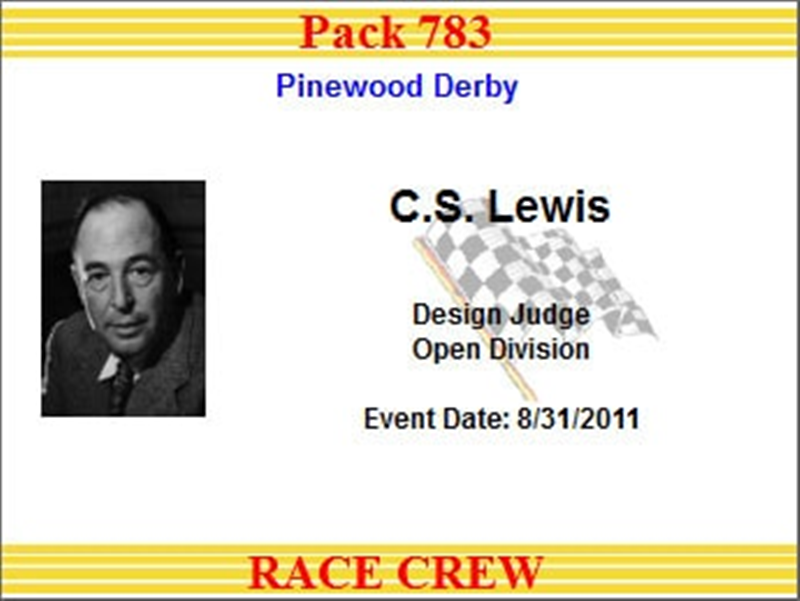 |
| Sample Driver's License | Sample Pit Passes | |
 |
 |
 |
| Driver's License Settings | Pit Pass Settings | Advanced Customization |
 |
 |
 |
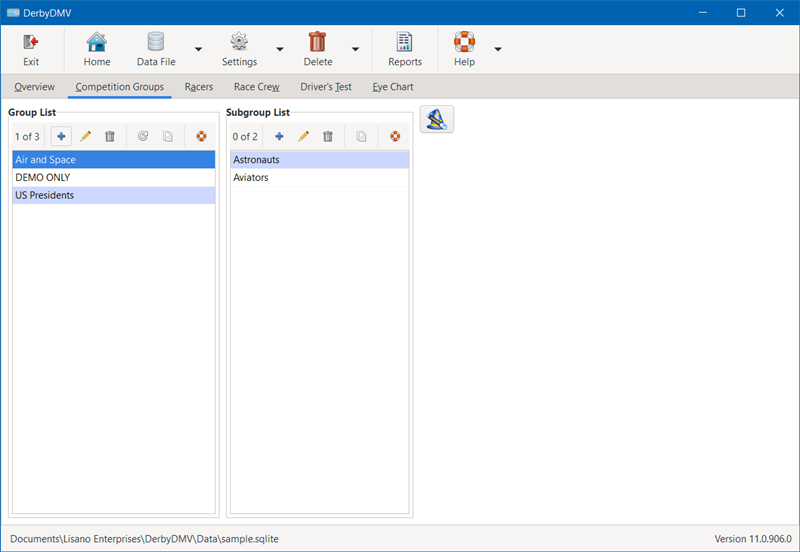
| Overview | Competition Groups | Racers |
 |
 |
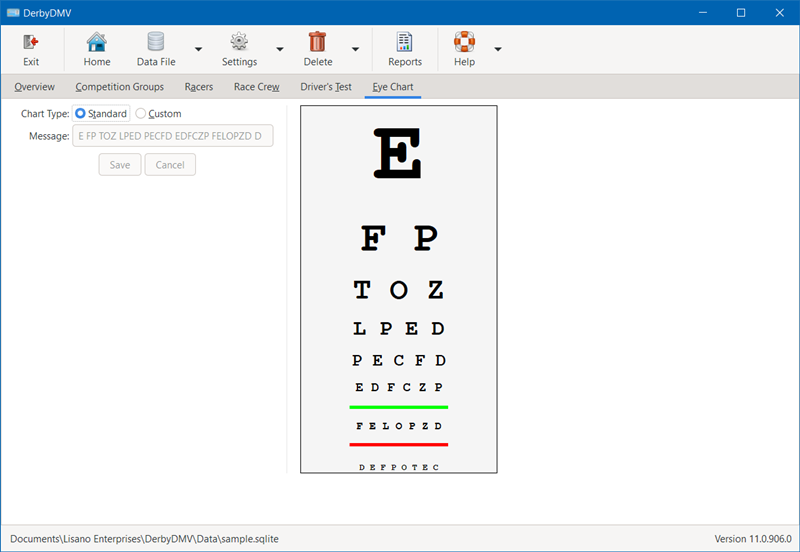 |
| Race Crew | Driver's Test | Eye Chart |
 |
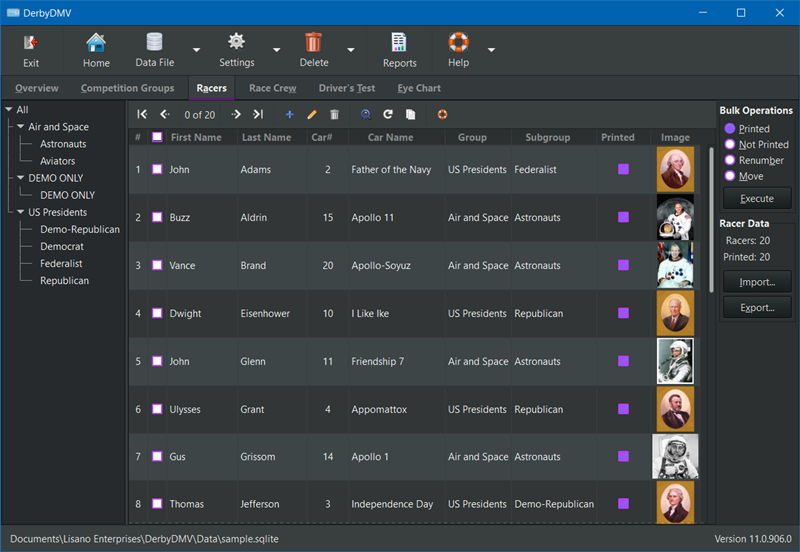 |
| Sample Eye Chart | Dark Mode |
Requirements
Minimum Software Requirements:
- 32 or 64 Bit Microsoft Windows (8/8.1, 10, or 11) or macOS Big Sur 11.x to Sonoma 14.x
- 2.0 GHz Dual Core or better CPU
- Web Browser to view the Help files (Internet connection is not required)
- 400 MB of hard drive space
- 4 GB of RAM
- 1080x720 screen resolution
Hardware Requirements (Snapshot Capture Feature):
- A Webcam connected to the PC via a USB port.
- Or a Video Camera connected to the PC via a FireWire* cable
- Or a Video Camera connected to a compatible Video Capture Device**.
* FireWire is also known as IEEE-1394 or i-Link®
Download
DerbyDMV Downloads:
The software can be downloaded from our Downloads page.